Reference / Security
Wireless security: reduce exposure before an incident
Wireless traffic crosses a shared physical space, so security cannot rely on walls alone. A useful programme covers access points, clients, administrative accounts, the wired network behind them and the people who operate them.
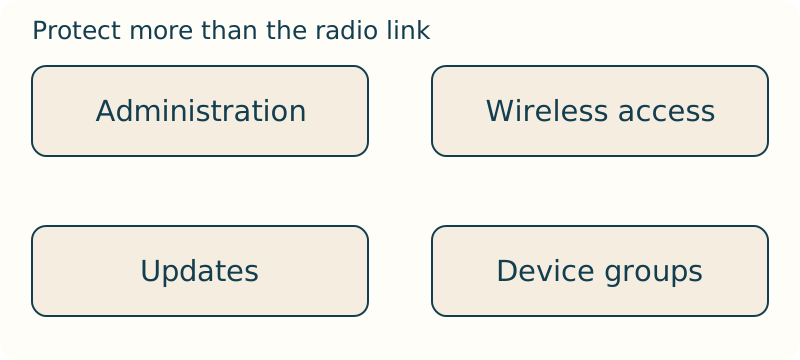
Build a defensible baseline
Use a security mode appropriate to intended clients, a separate administrator credential and a documented maintenance process. Remove default accounts or settings where equipment permits it.
Separate visitors and untrusted devices from systems that hold work data or manage equipment. Inventory matters: an unknown access point, repeater or client cannot be reviewed or retired reliably.
Monitor and rehearse
Maintain approved access points, locations, network names and management ownership. Review unusual authentication failures, administrative changes and unexpected devices. Monitoring helps only when normal is known.
Prepare a response: isolate a suspected device, preserve relevant logs, change affected credentials, check configurations and restore access deliberately. Do not disable protection or repeatedly alter settings without a record.
Review administrative access
Limit management access to people and networks that need it. Remove accounts for departed operators, protect backups and review who can change radio or network settings.
Security review should include recovery: a lost administrator credential or failed update needs a controlled, documented route back to service.
Secure the paths that make up the WLAN
A WLAN is more than a network name and a passphrase. Its boundary includes clients, access points, their management interfaces and the wired network reached after association. A review that checks only whether users can join leaves management accounts, unapproved devices and the upstream path outside the security decision. The useful question is which identities and devices may reach which services, through which paths.
Map ordinary client traffic separately from management traffic. A client may need an application service but not the interface that changes radio or network settings. An administrator may need a controlled route to that interface but not an unrestricted identity shared by every user. This separation turns “secure Wi-Fi” into concrete path rules that can be tested and reviewed.
Keep an inventory that can answer an incident question
An inventory is operational only when it helps distinguish an approved component from an unknown one. For each access point or repeater, record its location, purpose, management address or path, network identity and responsible operator. Include guest networks and device groups because they change which paths should exist. Without that context, a newly seen device or network name cannot be classified deliberately.
Use the inventory as the starting point for a suspicious observation. Compare the observed network identity, location and management evidence with the approved list before changing broad settings. A duplicate-looking name may be a configuration mistake, an unrecorded device or something that needs deeper investigation; the record cannot decide that alone, but it can stop a response from treating all three possibilities as identical.
Separate user access from administration
A widely shared access secret should not also grant the ability to alter the network. Give management a distinct credential and restrict its reachable path to the people and networks that require it. That reduces the number of ordinary devices that can become a route to a configuration change. It also makes a later review clearer: a client access event and an administrative change are different kinds of evidence.
Before changing security settings, preserve a controlled way back into management. A change to the network identity, access rule or radio configuration can disconnect the person applying it as well as ordinary clients. Keep a known management path, retain the previous configuration and make one reversible change at a time. Recovery is not a reason to weaken access controls permanently; it is a condition for changing them without losing control of the system.
Test segmentation as allowed and denied paths
Guest and untrusted devices often need a limited upstream service without direct access to personal computers, storage or management equipment. Segmentation expresses that difference in trust. It is not proven by calling a network “guest”; it is proven by testing the paths that should work and the paths that should not. A useful test names both an allowed destination and a protected local destination.
Run the test from a representative device after a configuration change. Confirm the intended service, then verify that the restricted local path remains unavailable. Repeat from the trusted side if the design requires a specific relationship in the other direction. If the result is unexpected, identify the boundary that allowed it before adding broad blocking rules. A rule that stops the visible symptom but breaks a required path is not a completed security decision.
Preserve evidence while containing a suspicious device
When an unexpected device or behaviour appears, record the time, location, network identity and relevant access-point or account state before resetting equipment. If it is safe to do so, isolate the suspected device or its reachable path, then examine the narrow set of records that can distinguish an account change, a configuration error and an unknown client. Repeated resets can remove the very state needed to make that distinction.
Containment and recovery should be planned together. Preserve a configuration backup and a known management route, verify what access was restored, and review whether the approved inventory still matches the operating network. Security is a lifecycle activity: design, deployment, maintenance and monitoring all matter because a secure starting configuration can drift. The appropriate outcome is a tested baseline and an explicit next check, not an unsupported claim that the WLAN is permanently safe.