Getting connected
Haikou with an iPhone: simple connectivity and two taxi outings
With airport and hotel transfers already arranged, a Haikou holiday does not need an elaborate transport-and-payment setup. Prioritise a working phone, an offline return address and enough usable cash for a couple of city outings. Treat optional apps as conveniences, not prerequisites.

Start with the least complicated workable plan
For a traveller who prefers familiar routines, first check a China roaming option on the existing Beeline number. Compare its actual trip cost and allowance with a compatible travel eSIM; neither is automatically the better purchase. No package price or hotel-level coverage has been verified here.
Keep the booked transfers. Plan city taxis through hotel reception, with RMB payment agreed before departure. Save the hotel’s Chinese name, address and reception number on paper and on the phone. This makes returning independent of a successful app login.
Identify the exact iPhone before buying an eSIM
In Settings, General, About, record the model and tap Model Number to reveal the model identifier. Check its purchase region and Apple’s model-specific documentation. Apple documents two-nano-SIM variants in mainland China, Hong Kong and Macao; a recent iPhone name alone does not establish eSIM support.
Apple requires an unlocked iPhone for another carrier: Carrier Lock should show No SIM Restrictions. Mainland-carrier eSIM activation has separate model restrictions; it is not the same product as an international travel eSIM. Confirm provider eligibility before paying, and install over reliable Wi-Fi before departure only if the package’s activation rules allow it.
From your phone to a package
Check the model, purchase region and exact package restrictions first. Then estimate data for maps, messages and the trip; keep home SMS as a separate task. A volume estimate confirms neither compatibility nor SMS delivery.
Keep Beeline SMS separate from mobile data
Beeline’s public guide lists incoming SMS as free, but this is not a promise that every verification message will arrive. Check roaming access, balance and China terms for the actual number. Keep the Beeline line enabled if you need SMS; disabling data roaming is different from disabling that line.
With a travel eSIM, select it under Cellular Data, leave Beeline data roaming off and disable Allow Cellular Data Switching. Enable roaming on the travel line only as its instructions require. Apple warns that the home line can still incur roaming fees. Beeline also warns of technical data charges despite phone data being off: check its account-level internet restriction and destination eligibility, plus forwarding and voice-assistant settings. For ordinary calls in China, Beeline says VoLTE must be enabled.
Check applications and routing, not just the China label
For the exact package, verify mainland-China coverage, supported iPhone variant, host network, activation trigger, expiry, allowance, speed policy, support route and payment eligibility. Check whether it is data-only or includes a usable phone number and SMS; do not assume it can receive verification codes sent to Beeline.
Ask what internet routing and application access the package actually provides. Test your chosen messenger, maps and any taxi or payment app on that connection after arrival, and separately on hotel Wi-Fi. An eSIM does not guarantee unrestricted application access. This guide does not certify any package’s routing or recommend bypassing local restrictions.
Make cash usable; assess foreign-card apps separately
Cash for local spending means RMB. China’s State Council policy requires lawful cash acceptance and change provision, including in transport; that is not a guarantee that every practical transaction will go smoothly. Arrange small notes through a bank or licensed exchange route, check accepted currencies and hours, and reserve money for the return taxi.
Hainan’s Haikou guidance describes foreign-card mobile payments, but the national guide says card binding requires issuer verification and eligibility varies by payment product. A supported network logo does not establish that your particular Russian-issued card can be linked. Do not replace cash with an untested wallet.
Compare CNY with the currency you carry: use the dated snapshot for reference, then enter the counter’s confirmed rate and fee. Calculate the net cash received, not a promise of card acceptance.
Convert CNY and check the amount after a fee →RSHB UnionPay: current support is not universal acceptance
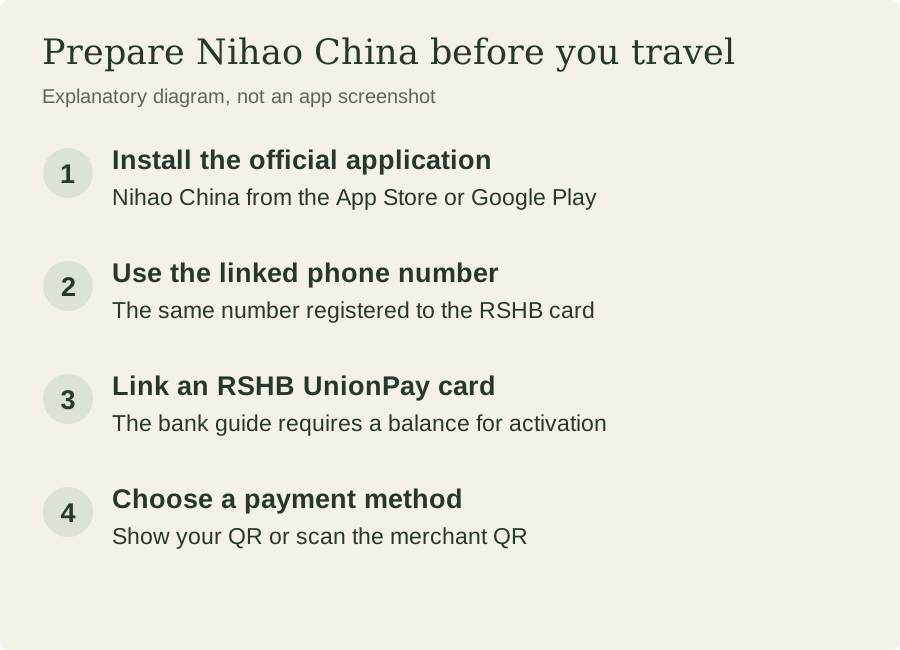
On 9 October 2026, RSHB’s retrieved product page still describes China payments through Nihao China. Its 20 February 2026 announcement explicitly covers RSHB-issued UnionPay cards and the phone number linked to the card. An older suspension warning reported by Interfax in July 2024 should not be presented as today’s blanket status.
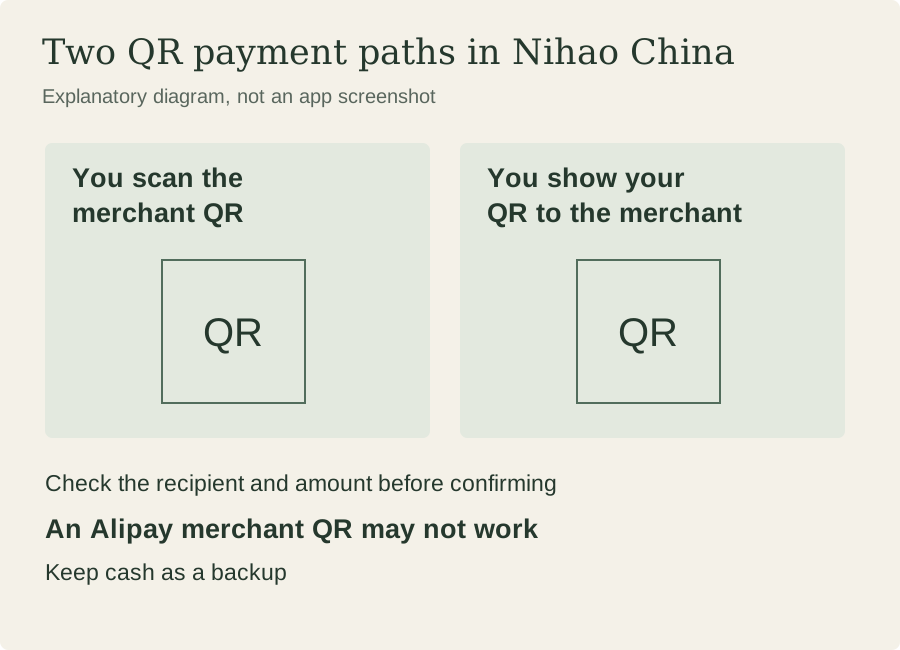
Important limitation: the bank’s linked Nihao China guide says scanning an Alipay merchant QR code may fail. Paying a merchant QR through Nihao China is not proof of direct card binding in Alipay or DiDi. The bank also publishes foreign-use restrictions. Do not rush to obtain a card solely for two taxi outings; treat any existing card as optional until its exact merchant, ATM or app route is confirmed. Keep the cash plan.
Use a licensed taxi; make DiDi optional
Ask reception to arrange a licensed metered taxi, explain the destination in Chinese and confirm cash payment and any separate booking charge. The transport ministry’s street-taxi rules require proper metering, a valid fare receipt and change preparation. Ask for the receipt; agree a return pickup or identify a staffed taxi point before leaving the hotel.
The national guide describes Didi-Greater China registration with foreign numbers and international credit cards. That does not verify your number or card. If you choose this option, prepare the mainland-China service in advance, check SMS access and the displayed payment method, then confirm pickup, destination and vehicle details. If setup fails, use reception instead. Carry the Chinese hotel address, an offline contact list and a charged phone; do not make a new app essential for getting back.
Your next step
Make the decision concrete.
Before departure, verify the exact iPhone and chosen data service, preserve SMS access, prepare small-denomination RMB and put the Chinese hotel address on paper.
Practical questions
Does a newer iPhone definitely support a travel eSIM?
No. Check the exact model, purchase region, carrier lock and provider compatibility. Apple documents region-specific SIM arrangements and separate mainland-carrier eSIM rules.
Can I receive Beeline SMS without using Beeline data?
Keep the line enabled and check roaming access. Beeline lists incoming SMS as free, but delivery is not guaranteed. Select the other data line and check account-level data restrictions and possible non-data charges.
Should I get an RSHB UnionPay card just for taxis?
It is not a prerequisite for this plan. Current issuer material supports Nihao China payments, with route-specific limitations; it does not verify direct Alipay or DiDi binding. Retain usable RMB.
Do I need DiDi for two city outings?
No. Ask the hotel to help arrange licensed taxis and the return journey, confirm cash payment, and carry the Chinese return address. DiDi is optional only after its login and payment route work.
Sources & limitations
This is an independent compilation of public sources, not a first-hand network test. Terms can change; confirm the exact product before purchase. A location photograph does not establish reception.
- Use eSIM while traveling internationally with your iPhone - Apple SupportChecked 2026-10-29
- Using eSIM with your iPhone in China mainland - Apple SupportChecked 2026-10-29
- Using Dual SIM with an eSIM - Apple SupportChecked 2026-10-29
- Using Dual SIM with two nano-SIM cards - Apple SupportChecked 2026-10-29
- Гайд по роумингуChecked 2026-10-29
- A Guide to Working and Living in China as Business Expatriates (2025 Edition)Checked 2026-10-09
- 国务院办公厅关于进一步优化支付服务提升支付便利性的意见__2024年第8号国务院公报_中国政府网Checked 2026-10-29
- Haikou introduces enhanced mobile payment optionsChecked 2026-10-09
- RSHB UnionPay current product page: travel payments and Nihao ChinaChecked 2026-10-09
- Владельцы карт Union Pay от РСХБ могут расплачиваться по QR-коду в Китае с помощью нового приложенияChecked 2026-10-09
- RSHB Nihao China guide: QR payments using an RSHB UnionPay cardChecked 2026-10-09
- RSHB linked notice: restrictions on Russian-issued UnionPay cards outside RussiaChecked 2026-10-09
- РСХБ с 19 июля приостановит расчеты по картам UnionPay за границейChecked 2026-10-29
- 巡游出租汽车经营服务管理规定Checked 2026-10-09